
This guide outlines how we distribute event rewards after Fortress and Sanctuary events. Please follow these steps to ensure fair and organized distribution.
1. Garrison Participants (Top Priority)
Give the maximum amount of each reward first to players who participated in garrisoning.Special rule for Combat Buffs (e.g., 12h battle buffs): After garrison participants have received their share, prioritize remaining combat buffs for rally leaders.
2. Multiple Sanctuaries / Fortresses
If multiple Sanctuaries or Fortresses are active at the same time, combine their rewards.Distribute these combined rewards to everyone who participated in at least one of them.
3. R4 Members
Allocate rewards to R4 members if they are being rewarded for completing R4 duties.
4. Active Community Members
Distribute any remaining general rewards to active players who participate in chat or larger alliance events.
5. Daily Active Players (Final Step)
If rewards are still left over, give them out individually to players who have logged into the game within the last 1-2 days.
Reward Distribution Guidelines for R4 Members
Technical Guide: How to Allocate Rewards in Game
Follow these steps in the game interface to distribute rewards for Fortress and Sanctuary events:
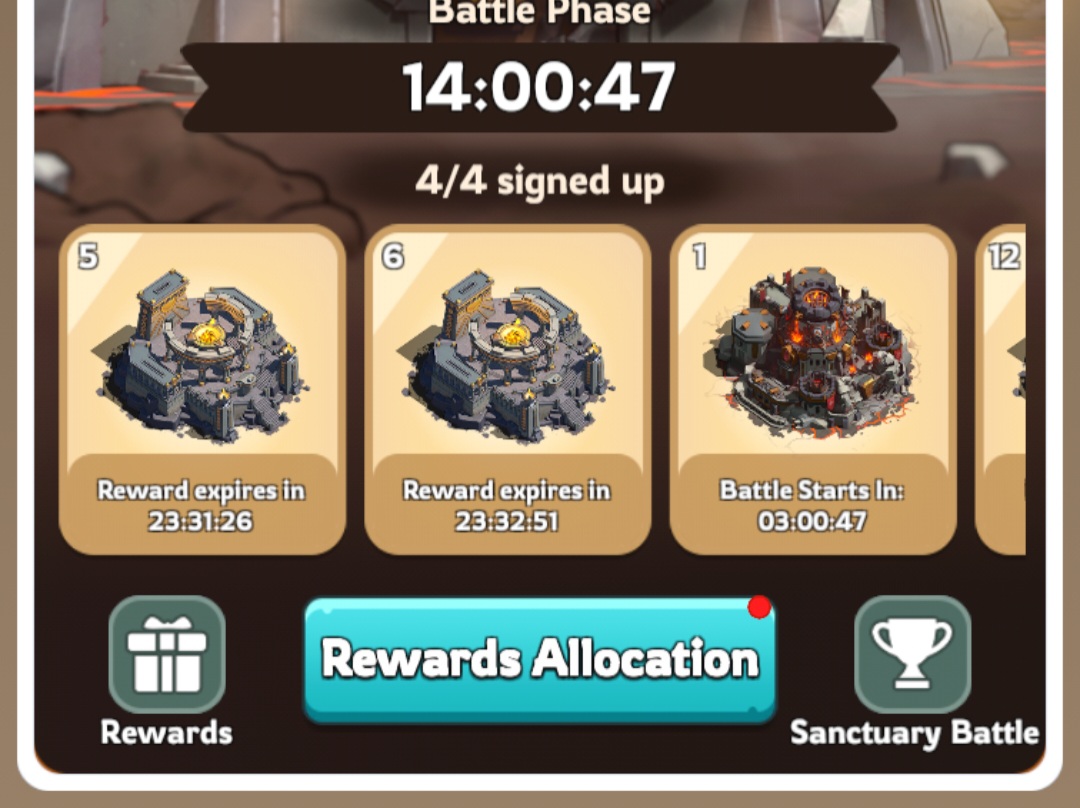
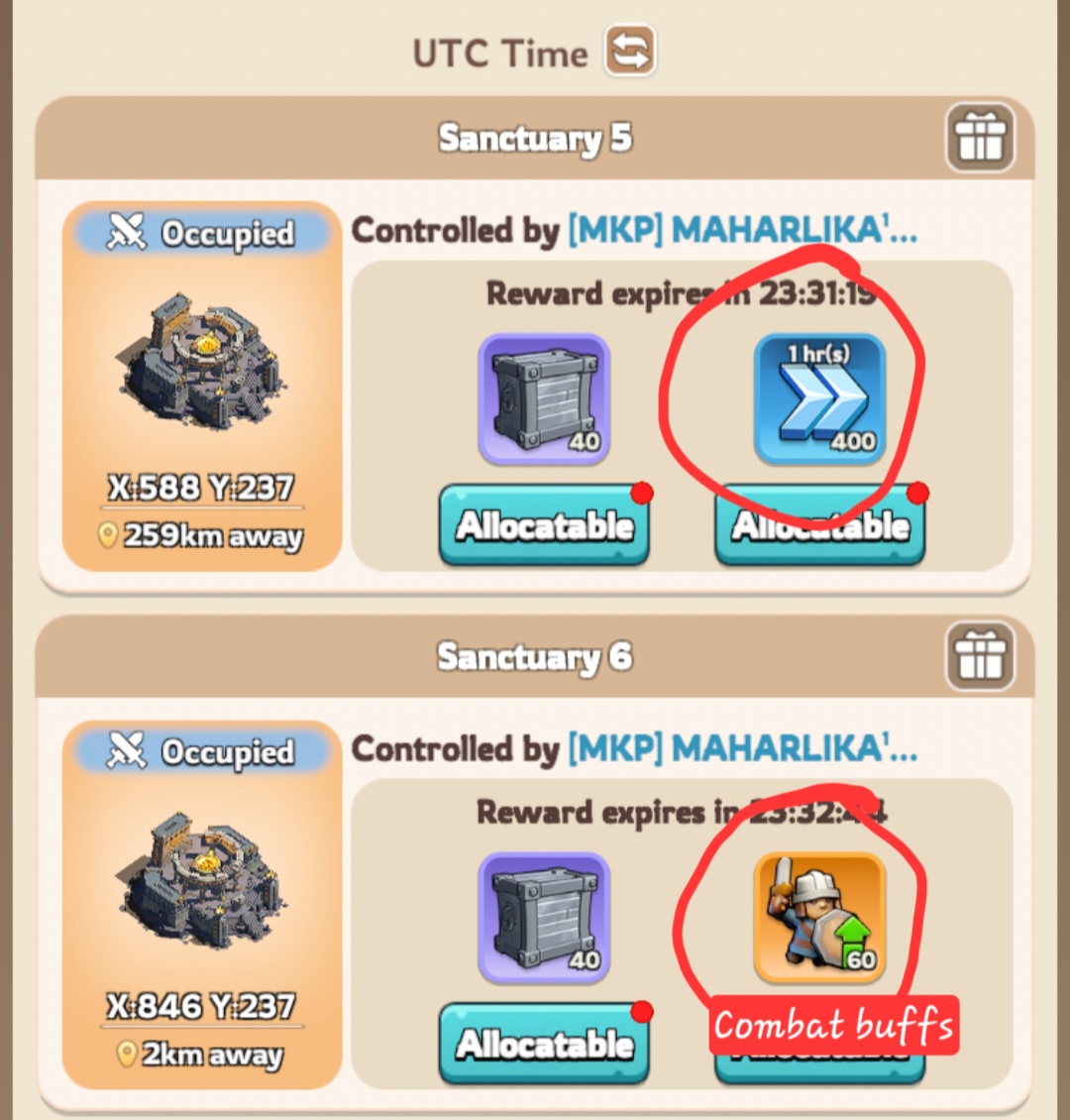 Open Rewards Allocation
Go to the event screen and tap the "Rewards Allocation" button (or access the specific Sanctuary/Fortress rewards tab).
Check Participation & Sort
Review the player list and look at individual stats (such as power, troops, and recent activity timestamps). You can use the Contribution dropdown filter to check who participated.
Adjust the Reward Amount
Use the slider or plus/minus buttons at the bottom of the screen to choose how many items (e.g., speedups or combat buffs) you are giving to each selected player.
Select Players and Allocate
Tap on the individual player cards to select them (a green checkmark will appear in the corner). Alternatively, you can use the "Select All" checkbox if you are distributing shared rewards to an entire group (like all participants of combined sanctuaries).
Tap "Allocate" (or "Allocate All") to confirm and send the rewards.
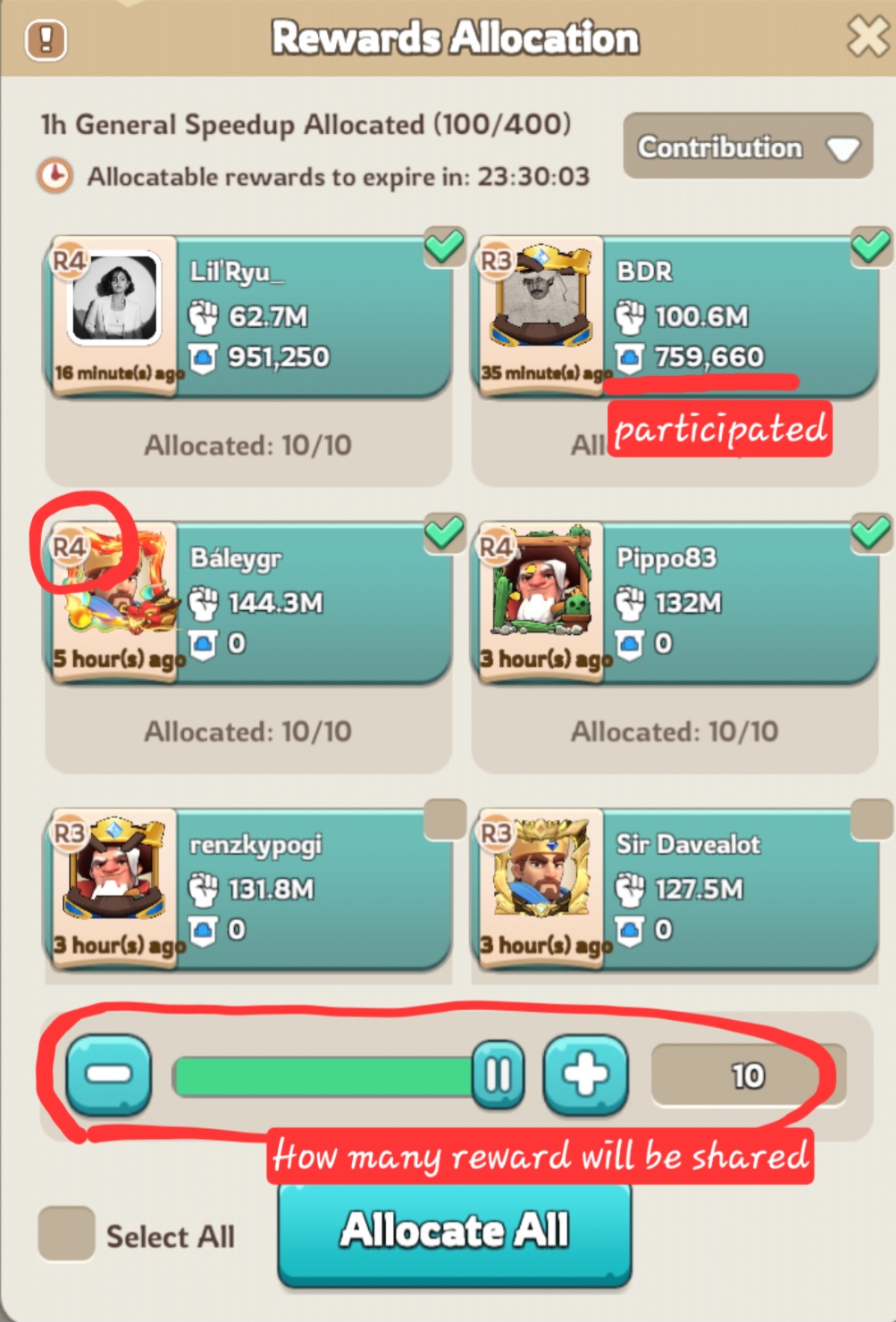
Open Rewards AllocationGo to the event screen and tap the "Rewards Allocation" button (or access the specific Sanctuary/Fortress rewards tab).
Check Participation & Sort
Review the player list and look at individual stats (such as power, troops, and recent activity timestamps). You can use the Contribution dropdown filter to check who participated.
Adjust the Reward Amount
Use the slider or plus/minus buttons at the bottom of the screen to choose how many items (e.g., speedups or combat buffs) you are giving to each selected player.
Select Players and Allocate
Tap on the individual player cards to select them (a green checkmark will appear in the corner). Alternatively, you can use the "Select All" checkbox if you are distributing shared rewards to an entire group (like all participants of combined sanctuaries).
Tap "Allocate" (or "Allocate All") to confirm and send the rewards.